Arise
An alarm clock that locks your distracting apps until you actually get out of bed.
problem
I built Arise for myself, and themed it in a way that works for me. The motivation was straightforward: I’d wake up, silence my alarm, and disappear into Instagram for an hour. The willpower problem is real but the friction problem is solvable. My phone was the device that knew I was up, and it was the same device handing me the distraction. It should pick a side.
The dopamine economy thrives on the few minutes between waking and getting up. Strip those minutes away and the day starts before the doomscroll does.
mechanic
Arise lets you nominate a set of apps as off-limits during your shield hours. When the alarm rings, you have to physically get up and complete a wake-up confirmation to drop the shield. Snooze it, dismiss it, or ignore it: the apps remain unreachable.
The blocked-app screen is a custom UI rather than Apple’s default restriction page, so the friction feels intentional rather than like a system error. You see Arise’s branding, the reason the app is shielded, and a path back to the alarm screen.
![Arise's custom shield screen. Red text reads '[SYSTEM] ACCESS DENIED' above the line 'This app is currently restricted by an active shield', with a Dismiss button at the bottom.](/images/arise-shield.png)
architecture
Arise sits on top of two of Apple’s more restrictive iOS frameworks. AlarmKit (new in iOS 26) handles the alarm side: scheduled wakeups, custom sounds, lockscreen interaction. FamilyControls plus ManagedSettings handles the blocking: picking which apps get shielded and presenting the custom shield screen when one is launched during shield hours.
A DeviceActivityMonitor extension runs in the background and toggles the shield based on the alarm schedule, since the main app can’t run continuously. The project spans four targets: the main app, a widget extension for at-a-glance alarm status, the monitor extension, and a custom shield configuration target. iOS 26+ only, since AlarmKit doesn’t exist below that.
progression
Successful wakeups build streaks, missed ones break them, and consistency unlocks cosmetic rewards: alternate app icons, themes, badges. Twenty-plus alarm sounds ship out of the box, with more tied to streak milestones.
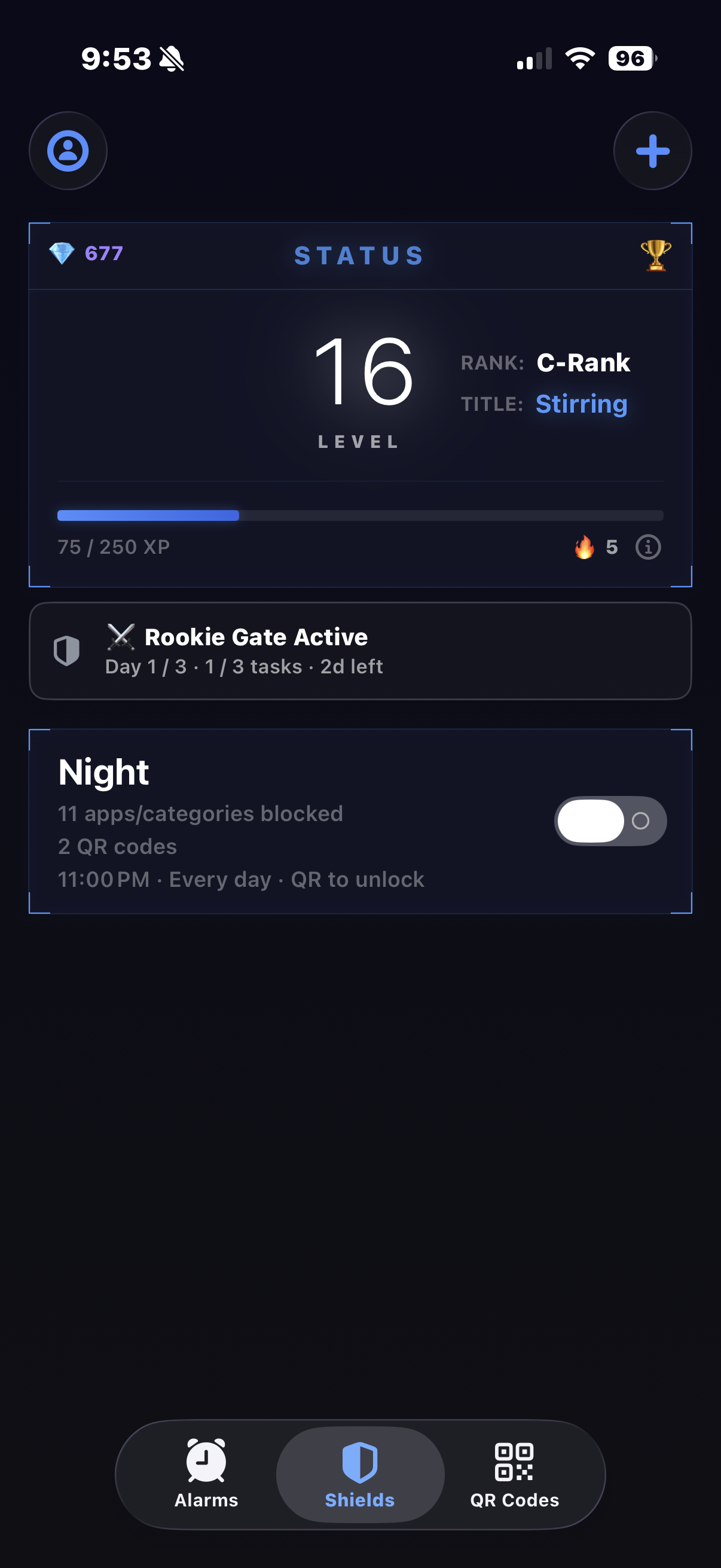
The goal is to make the friction of being blocked feel earned rather than punitive: you got up, the shield drops, the apps unlock, the streak grows.
If you’d like to try it out for yourself, here’s the official App Store listing.